Host React Js website live on the internet using github

Well, hostings is paid, but if you are a developer with technical skills, you can always find a free solution.
So today in this article we will use GIT and our developer skills to host a react js frontend website on Github for absolutely free.
Let’s get started !
Watch video instead
Step 1 – Setup git in your system
- First, download gitbash on your system, if you haven’t already – Git bash
- Once downloaded and installed, go to your folder and right click (or shift + right click) , and you will see 2 options

- Now , got ahead and click on “Git Bash Here”
One command prompt repo might have opened , just minimise it and follow step 2Step 2 – Create a repository
- Login to github and sign in/sign up
- Create a new repository (make sure you keep it public)

- Once repository is created , go back to you git bash terminal and follow the third steps
Step 3 – Push your code from local to git repo
Open your gitbash terminal at the folder where your code is located.
Start typing the below codes
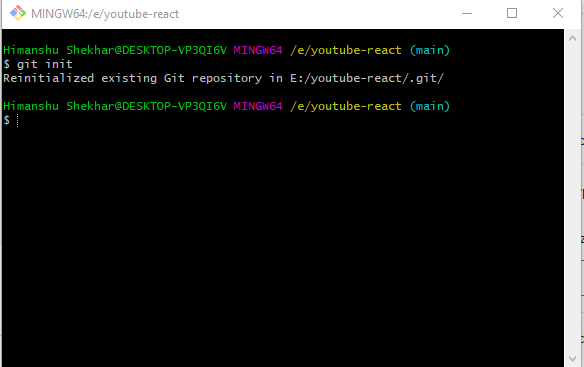
git init
git add .
git status(check all the files are commited or not)
git commit -m "first commit"
git branch -M main
git remote add origin 'your_url_name'
git push -u origin master
Step 4 – Install gh-page and edit package.json file
- Install gh-page npm package
Check which one command works.
npm install --save gh-pages
or
npm install gh-pages --save-dev- Edit the package.json file and added the below lines
Eg – “homepage” : “https://<username>.github.io/<repo-name>
//After name key-pair value ,
    "homepage": " https://highhimanshu.github.io/demo-crud1",
//Inside script object
    "predeploy" : "npm run build",
"deploy": "gh-pages -d build", 
Step 5 – Deploy
Now write the below command to deploy your website to GitHub and create a link
npm run deploy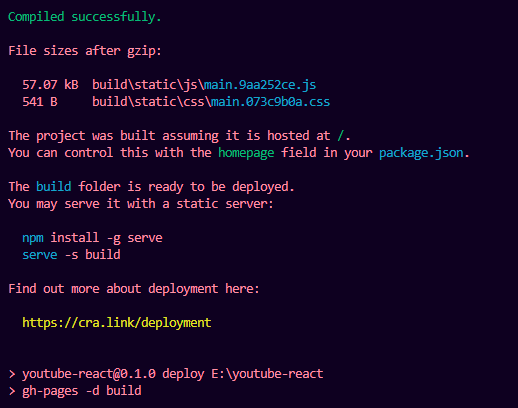
Once the build is successful, A Link is created automatically, that will be your hosted website link
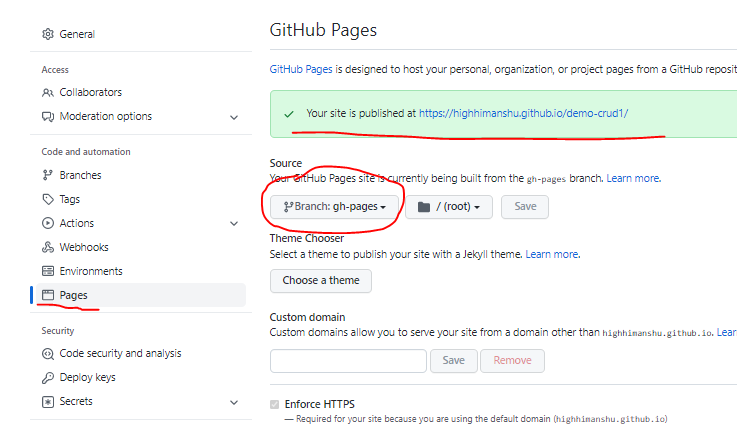
Go to repo > setting > pages > select gh-pages and save.
Very informative and to the point! Keep posting informative content. I followed this blog post from your YouTube Channel! Cheers!
Thanks alot:)
Something on github must have changed because it doesn’t seem to work anymore
when i use all this commad just navbar run in this code but when you click any navbar it show 404
I followed all steps above but after pusblishing the site and open URL its showing REAME file content not the website
One of Best Tutorial Ever! Easily understand
Hi Himanshu,
Thank you for posting a very informative post and video. I just published a React math quiz app via Github. I am using React Router 6 and I followed all your steps. I am getting this error message:
Error with Permissions-Policy header: Origin trial controlled feature not enabled: ‘interest-cohort’.
A blank webpage is always displayed.
https://bhavin-rb.github.io/algebra1_quiz/
https://github.com/bhavin-rb/algebra1_quiz/
Can you please assist to resolve this problem. Thank you.